
MATLAB is a useful tool in mathematical and scientific computation. In this note, I will reveal some less familiar but useful features in the programming MATLAB. The example codes are adapted from my research project Convergence Order of UBU Integrator, and can be downloaded from this link. The exact definition of the UBU generator can be found in this paper.
Usage namespaces
Yes, just like C++, MATLAB has namespaces. To create a namespace, you only need to create a folder beginning with “+”. In the following example, I create two namespaces: integrator and observable, to store the functions related to the numerical integrator and the calculation of the observable averages.
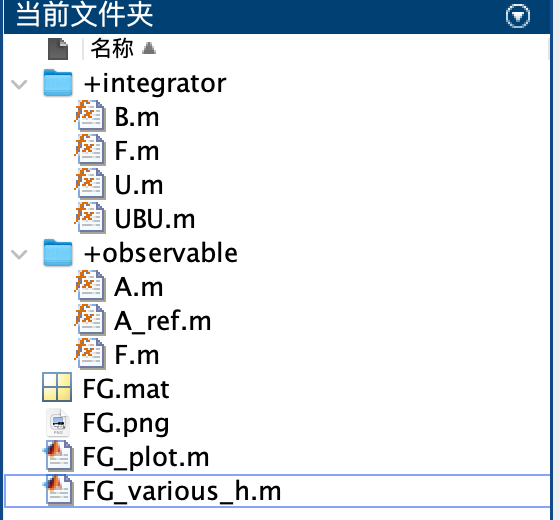
Two namespaces: integrator and observable are used in MATLAB.
To call functions in the integrator namespace, just use the dot symbol “.” (while in C++ it is double colon “::”). For example, in UBU.m the functions integrator.U, integrator.B and integrator.U are called successively.
[x,v] = integrator.U(x,v,beta,h/2); % U step (h/2)
v = integrator.B(x,v,h); % B step (h)
[x,v] = integrator.U(x,v,beta,h/2); % U step (h/2)
Sample codes from integrator/UBU.m
In my point of view, the benefits of using namespaces include:
- It is easy to manage the code structure of the whole project. A function’s scenario is directly indicated by its namespace. If there is no need to store static variables, I recommend using a namespace instead of a class.
- You can use very short function names in each namespace without conflict. This is particularly useful when aligning the mathematical symbols and the function name.
Define multiple functions in one file
In quite a long period, I obey the following single rule in MATLAB programming: define exactly one function in one file, and the function name needs to match the file name. However, it is actually allowable to define multiple functions in one file. For example, you can define Func1, Func2, … in one file, and this file must be named as Func1.m. Also, the other functions Func2, … can only be used in the file Func1.m.
In the following example, I define a function A at line 41, and the function A is called at line 32. Compared to other parts of this project, the function A is less important, and is only used within this single file.
function a_ref = A_ref(beta)
% compute the ratio of integrals int exp(-F(x1,x2)) * A(x1,x2) / int exp(-F(x1,x2))
% Input:
%   beta [1] inverse temperature
% Output:
%   a_ref [5] corresponding observables

% ---- parameters ---- %
L = 20; % length of interval
N = 6000; % discretization size
x1 = linspace(-L,L,N);
x2 = linspace(-L,L,N);
[X1,X2] = meshgrid(x1,x2);

% ---- compute a_ref ---- %
a_ref = zeros(5,1);
exp_F = exp(-beta*observable.F(X1,X2)); % [N,N]
val_A = A(X1,X2); % {5}*[N,N]
int_F = sum(exp_F,[1 2]); % [1]
for i = 1:5
    int_A = sum(exp_F.*val_A{i},[1,2]);
    a_ref(i) = int_A / int_F;
end
end

% ---- observable function ---- %
function a = A(X1,X2)
a = cell(5,1); % observable on grid
a{1} = exp(-X1.^2/2);
a{2} = exp(-(X1+0.5).^2/2);
a{3} = exp(-(X1+X2).^2/2);
a{4} = exp(-(X1+X2+0.5).^2/2);
a{5} = exp(-abs(X1.*X2)/2);
end
Codes of observable/A_ref.m.
In general, when a function Func2 is less important and only designed to fulfill another function Func1, then it is considerable to define Func2 just after Func1. This helps to reduce the number of files in the whole project, and also avoids unexpected calling of Func2 outside the definition of Func1.
High-resolution output images
After long-time calculation, when you finally obtain the output image, how do you save it to the computer? Formerly, I simply choose File->Save As …, and save the result as an .png picture. However, the saved picture usually has low resolution, which greatly reduces the performance of the original data. In fact, the resolution of the output image can be explicitly set in the following option: File->Export Settings->Rendering->DPI.
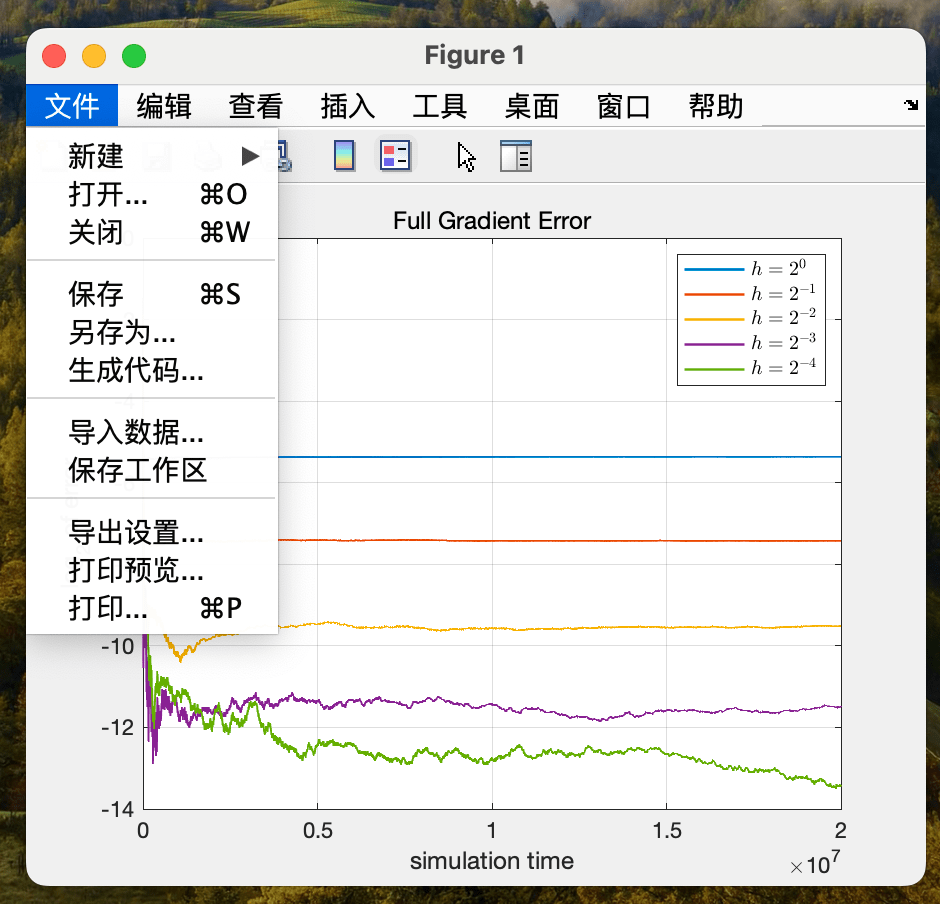
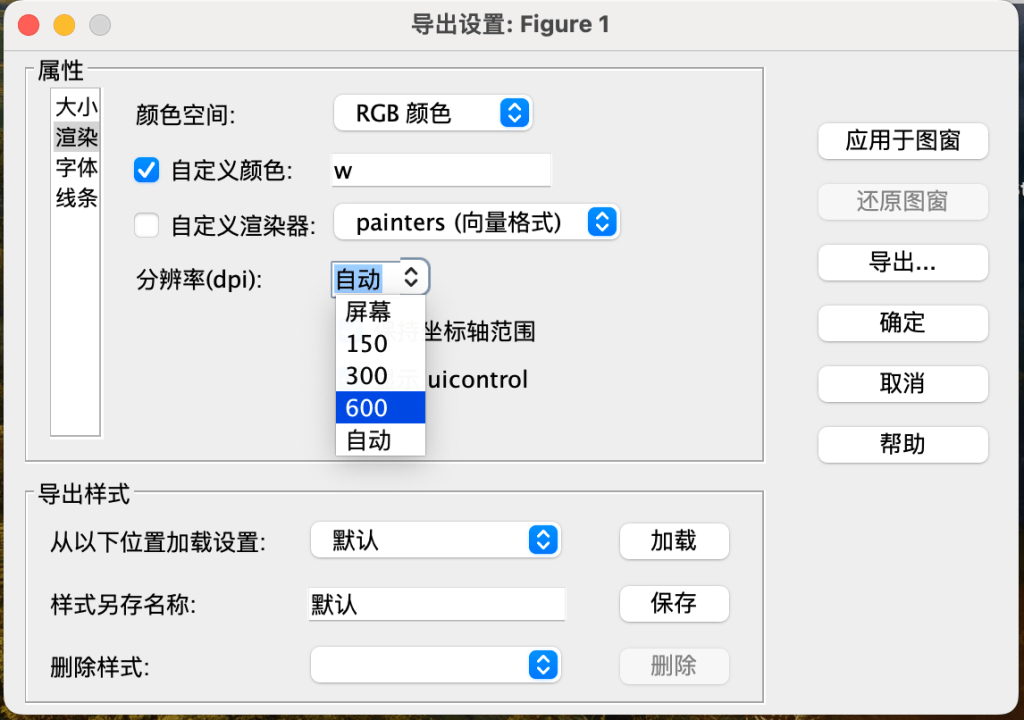
When the DPI is chosen as 300 or 600, the image looks much more vivid. Note that this also increases the storage of the pictures.
 Xuda Ye
留下评论